




Hello guys! Today I am showing you how to show activated plugin list in dashboard.
Add below code in functions.php file.
add_action('wp_dashboard_setup','wp_dashboard_setup_plugin');
function wp_dashboard_setup_plugin()
{
    wp_add_dashboard_widget('active_site_plugins', __('Active Plugins list'),'active_site_plugins');
}
function active_site_plugins()
{
    $plugins = get_option('active_plugins');
    echo '<ul>';
    foreach($plugins as $key => $plugin_value)
    {
       $plugin_list = explode('/',$plugin_value);// Folder name will be displayed
       echo '<li>'.$plugin_list[0].'</li>';
    }
    echo '</ul>';
}
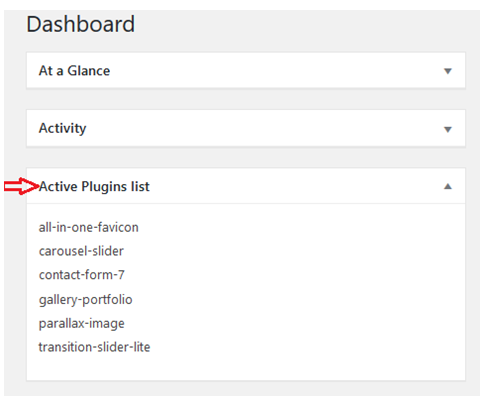
Now you can see activated plugin list shown in dashboard like above my screenshot.
I hope this blog helpful for you.
Thank you 🙂
