


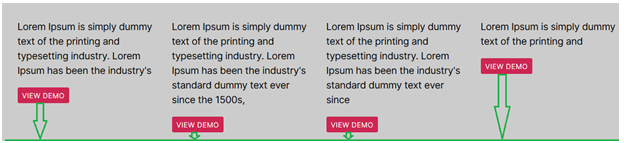
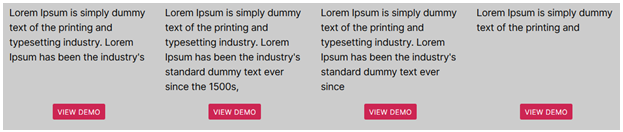
Hello guys today I am showing you how to keep button at the bottom and center of div.
HTML
<div class="container">
  <div class="row">
    <div class="col-md-3 box">
      <p>Lorem Ipsum is simply dummy text of the printing and typesetting industry. Lorem Ipsum has been the industry's </p><button type="button" class="btn btndesign">View demo</button>
    </div>
    <div class="col-md-3 box">
      <p>Lorem Ipsum is simply dummy text of the printing and typesetting industry. Lorem Ipsum has been the industry's standard dummy text ever since the 1500s,</p><button type="button" class="btn btndesign">View demo</button>
    </div>
    <div class="col-md-3 box">
      <p>Lorem Ipsum is simply dummy text of the printing and typesetting industry. Lorem Ipsum has been the industry's standard dummy text ever since </p><button type="button" class="btn btndesign">View demo</button>
    </div>
    <div class="col-md-3 box">
      <p>Lorem Ipsum is simply dummy text of the printing and </p><button type="button" class="btn btndesign">View demo</button>
    </div>
  </div>
</div>
CSS
<style>
.box {justify-content: space-between;flex-direction: column;display: flex;}
.btndesign {margin: 0 auto;}
</style>
OUTPUT
I hope this article helpful for you.
Thank you 🙂
